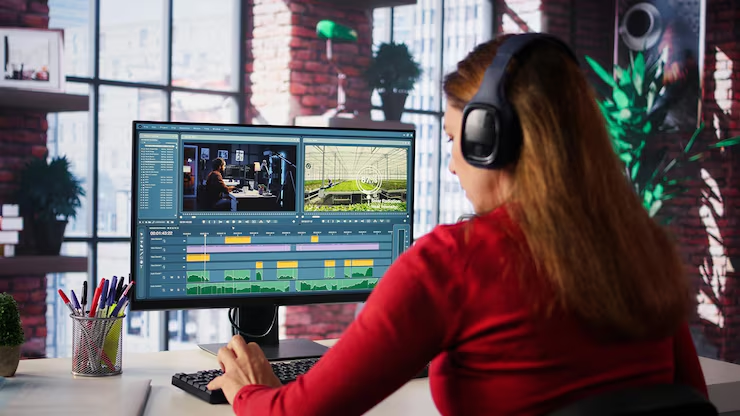
Master the complete video editing process from beginner to advanced using industry-leading tools and practical techniques. This course is designed for content creators, freelancers, YouTubers, social media managers, and business owners who want to create professional-quality videos for any platform.
What You’ll Learn
- Complete video editing workflow from start to finish
- Editing videos with Adobe Premiere Pro and CapCut
- Cutting, trimming, and arranging clips professionally
- Adding smooth transitions and visual effects
- Color correction and cinematic color grading
- Audio editing, background music, and noise removal
- Motion graphics and animated titles
- Green screen (Chroma Key) editing techniques
- Slow motion, speed ramping, and time remapping
- Creating engaging YouTube, TikTok, Instagram Reels, and Facebook videos
- Exporting videos in the best quality for different platforms
- AI-powered editing tools to save time and improve quality
Course Modules
Module 1: Introduction to Video Editing
- Understanding the editing workflow
- Choosing the right editing software
- Setting up your editing workspace
Module 2: Editing Fundamentals
- Importing and organizing media
- Timeline editing
- Basic cuts and transitions
- Keyboard shortcuts for faster editing
Module 3: Professional Effects
- Motion effects
- Zoom and pan animations
- Text and lower thirds
- Visual enhancements
Module 4: Audio Mastery
- Voice enhancement
- Background music integration
- Sound effects
- Audio synchronization
Module 5: Color Grading
- Color correction basics
- Cinematic LUTs
- Professional color grading techniques
Module 6: Social Media Content Creation
- Editing viral short-form videos
- YouTube video optimization
- Instagram Reels editing
- TikTok editing strategies
Module 7: Advanced Editing
- Multi-camera editing
- Green screen effects
- Motion tracking
- Speed ramping
- Masking techniques
Module 8: Freelancing & Client Projects
- Managing client workflows
- Delivering professional projects
- Pricing your editing services
- Building a video editing portfolio